Remove Microsoft Edge from your PC
Uninstall Edge is a free-of-charge utility that lets you effortlessly get rid of the Microsoft Edge browser from your desktops. By simply hitting specific buttons, you can instantly discard it from your system regardless of it being an OS-integrated web browser application.
Top Recommended Alternative

If you prefer using other browsers such as Google Chrome, Mozilla Firefox, etc., Uninstall Edge will greatly help you to save some storage space and prevent further updates that will come from it in the future. It is important to note that this program is specifically designed for Windows 10 and Windows 11 PCs.
How it works
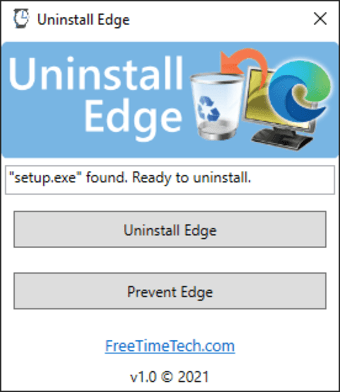
Uninstall Edge contains important tweaks that will empower you to modify the registry which will enable you to totally remove the stable version of Microsoft Edge from your Windows 10 and Windows 11 computer operating systems. This cost-free program will look for the ‘setup.exe' file from the default installation folder of Microsoft Edge. Once it's detected, you must click the ‘Uninstall Edge’ button to officially execute the command's arguments.
Meanwhile, a ‘Prevent Edge’ button is offered in this lightweight suite as well to block further updates or installation of Microsoft Edge from ever entering your local system again. Clicking the button will automatically add the specific registry key and value which will help you forestall the stated events. However, keep in mind that the simple tool can’t eradicate unstable versions of Microsoft Edge.
Remember to create a backup and a restore point before proceeding to use this small package. There will be a lot of risks at stake and no ‘Undo’ button is available to bring back your past actions and previous system condition. Reverting the changes will require deep technical knowledge and experience as you will need to edit the registry manually thus, it is not advisable especially for novice users.
Helpful but risky
If it bothers you so much that Microsoft Edge is eating up some space from your storage when you don’t even use it then, Uninstall Edge is the key to erasing it. However, one must be aware of all the dangers that will come along with it so, if you don’t have the capacity to revert the adjustments made then, it's best for you to skip downloading this software.